Signed digital payment proof

Write a signed receipt before they put their wallet away.

Business44 turns one payment into a signed A4 receipt: who paid, how much, how they paid and what for. Mark it paid to stamp it, then send it as a PDF, an image or plain text.

60
Currencies
11
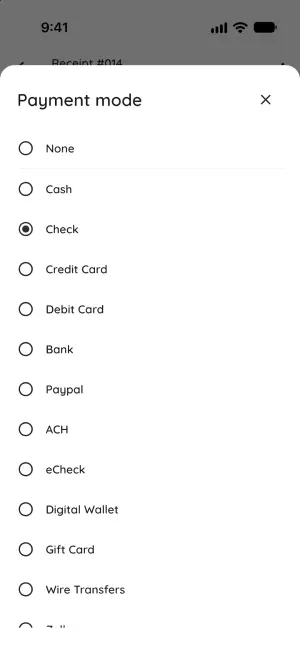
Payment modes
9
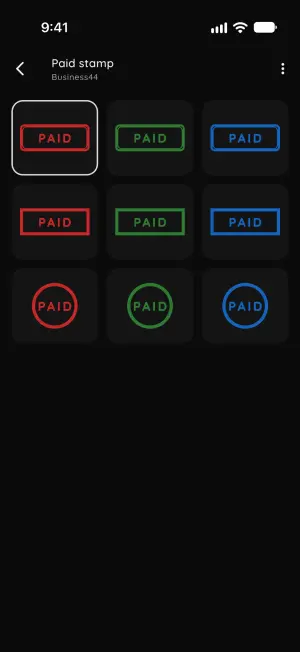
PAID stamp styles
39
Languages

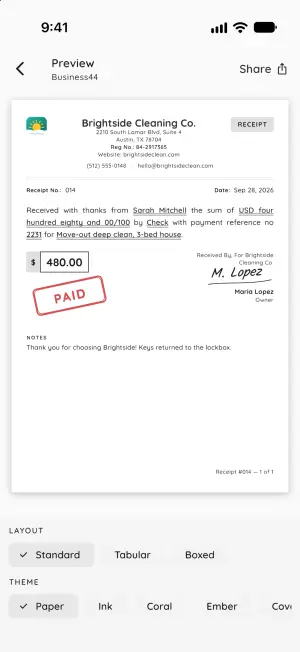
Brightside Cleaning Co.

2210 South Lamar Blvd, Suite 4
Austin, TX 78704
(512) 555-0148

RECEIPT
Receipt No.: 014 Date: Sep 28, 2026

Received with thanks from Sarah Mitchell the sum of USD four hundred eighty and 00/100 by Check with payment reference no 2231 for Move‑out deep clean, 3‑bed house.

$480.00

Received By, For Brightside Cleaning Co.

Maria Lopez

Owner

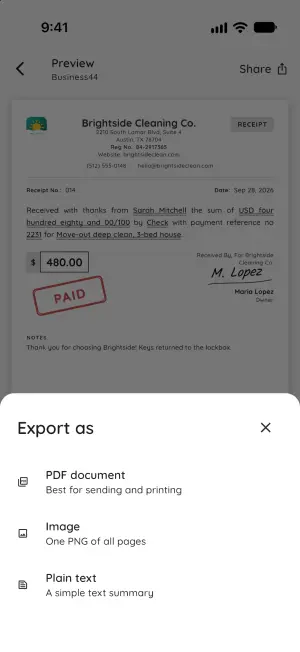
Export as

This is an example receipt. Try the switch or pick a format.

/ 01 · How it works

A signed receipt takes under a minute.

There's no Save step. Tap + and the receipt already has the next number, today's date and your business on it.

  1. Step 1

    Tap + and fill in who paid

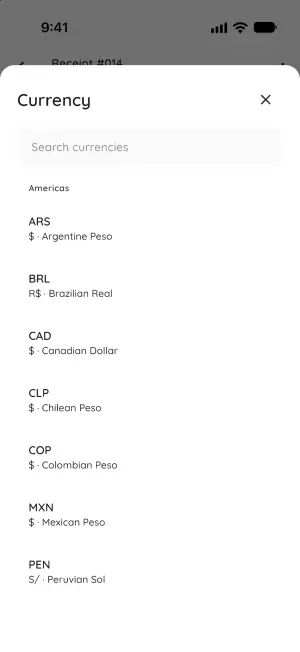
    Add how much, how they paid and what it was for. Pick from 60 currencies, and add a reference number if there is one.

  2. Step 2

    Sign it and mark it paid

    Sign with your finger. Choose who took the money under Received By, then flip the Paid stamp switch.

  3. Step 3

    Send it as a PDF, image or text

    Send a PDF to print or email, or one PNG to drop in a chat. Plain text works for a quick message. It all goes through your phone's share sheet.

/ 02 · Receipt, not invoice

For money that's already in your hand.

An invoice asks for money.

  • Line items
  • Tax
  • Discounts
  • Due date
  • Balance due

Business44 has none of these. Each receipt is one flat record of one payment.

A receipt says you got it.

Received with thanks from Priya NairReceived From the sum of USD one thousand six hundred fifty and 00/100Received Amount, in words by BankPayment Mode for October rent, Unit 3BFor.

Add who took the money under Received By, then sign. The app writes the sentence for you in any of 39 languages.

/ 03 · Everything in the box

Proof on the page, and totals for tax time.

Mark it paid to stamp it

Every receipt has its own Paid stamp switch, off until you flip it. In Settings you pick the look: three shapes in red, green or blue ink.

The amount, written out like a check

On English receipts the sum is spelled out in words. Other languages show the number. Money math uses exact decimals, so a total never lands a cent off.

Cash, check, PayPal and eight more

Add your own modes too, like Zelle, and a reference number when there is one.

What came in, and how Pro

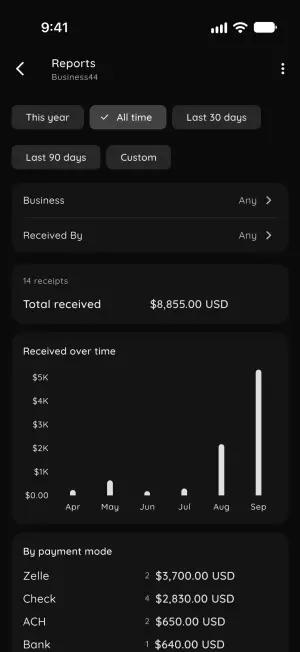
See totals per currency, what came in each month, and the split by payment mode and by business. Filter by dates, business or who received it, and export a CSV or a PDF report.

The preview is the page they get

Choose a layout, then one of 30 themes to recolor the receipt. Preview shows the exact pages you'll export. The Standard layout and the Paper, Ink and Coral themes are free.

More than one business

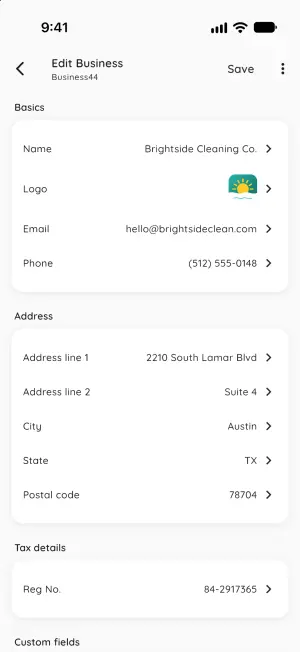
Each has its own logo, contact details, Reg No. and custom fields. Add the people who take payments, and pick one per receipt as Received By.

/ 04 · On your phone

The app, screen by screen.

Signed payment receipt preview with PAID stamp, amount in words, and layout and theme pickers
Preview
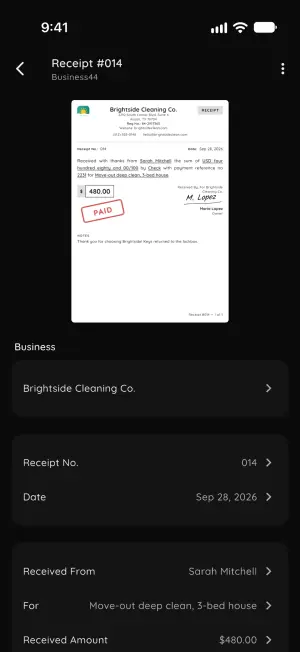
Receipt editor with a live A4 thumbnail and tap-to-edit business, payer, purpose and amount fields
Receipt editor
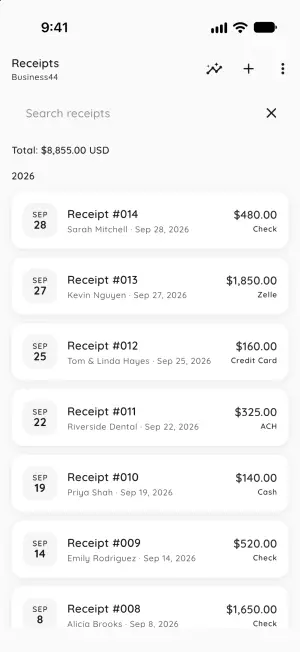
Receipts list grouped by year with search and a running USD total
Receipts
Export sheet offering a PDF document, a PNG image or a plain text summary
Export as
Nine PAID stamp styles in three shapes and red, green and blue ink
Paid stamp styles
Payment mode picker with Cash, Check, Credit Card, ACH, PayPal, Wire Transfers and more
Payment modes
Reports with total received, a monthly bar chart and a breakdown by payment mode
Reports
Business profile editor with logo, email, phone, address and Reg No.
Business details
Searchable currency picker grouped by region
Currencies

Retire the carbon-copy receipt book.

No account to create. Your receipts, signatures and logos stay on your phone. The app sends anonymous usage stats and crash reports, and checks purchases with the app store.