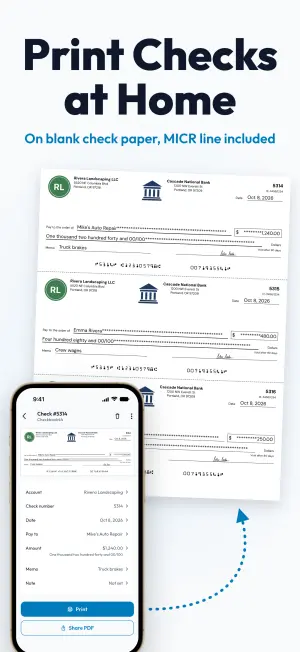
Write a check on your phone and print it on blank check paper.
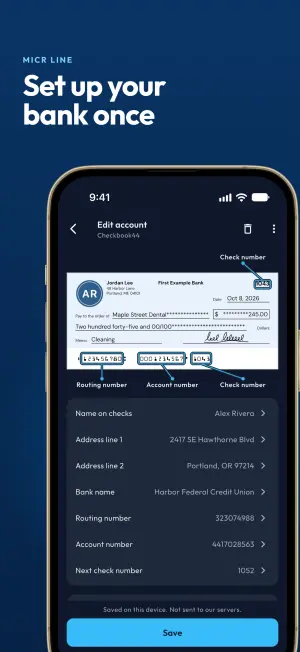
Save your bank account once. After that, a check takes a payee and an amount, and Checkbook44 writes the amount out in words and prints the whole check, MICR line included.
Portland, OR 97214
Portland, OR 97209
Portland, OR 97201
MICR line: check number 1052, routing number 123456780, account number 0001234567
Pay to
One thousand eight hundred fifty and 00/100
This sample check uses made-up bank details. In the app, yours are saved on your phone and never sent to our servers.
Set up your bank once, then write checks.
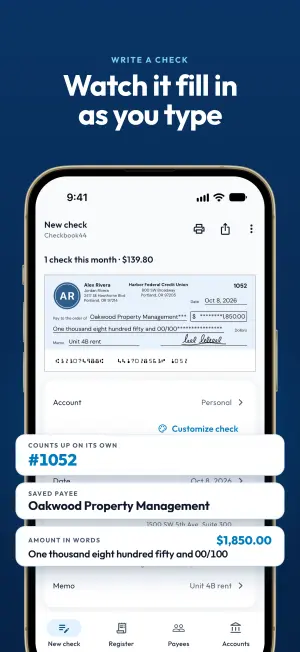
Each new check starts with the next number, today's date and your default account already filled in.
Step 1
Save your bank account and starting check number
Add the name and address for the top of the check, your bank, and the routing and account numbers. If you mistype the routing number, the app flags it before anything prints.
Step 2
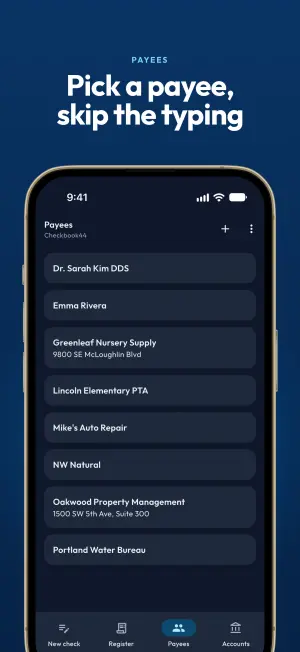
Pick a payee and type the amount
Choose a saved payee or type a new name. The preview fills in as you go, with the amount in words and stars across the blank space.
Step 3
Print on blank check paper or share a PDF
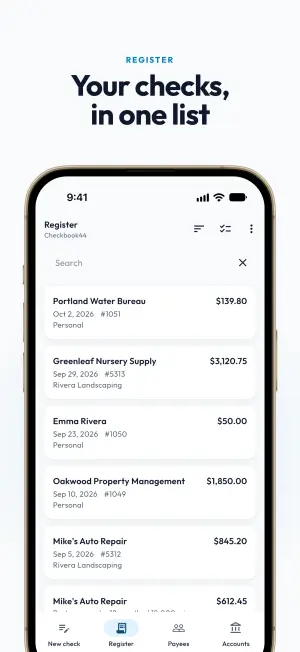
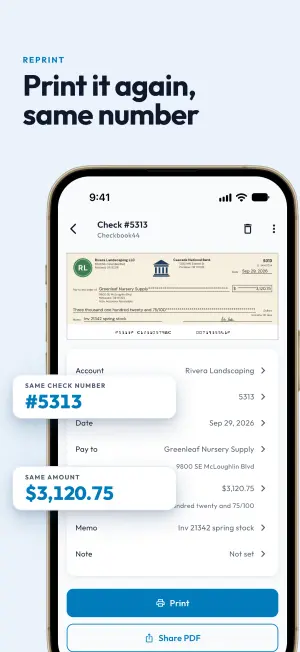
Print from your phone's print dialog, or share the check as a US Letter PDF. Save it to the Register to find or reprint later.
You type the payee and the amount. The app writes the rest.
You type
- Pay toOakwood Property Management
- Amount$1,850.00
- Memo, if you want oneUnit 4B rent
You can also add a private note. It stays in the app and never prints.
The app fills in
- Check number
- The next one for that account. Numbers don't repeat within an account.
- Date
- Today's, unless you change it.
- Amount in words
- One thousand eight hundred fifty and 00/100, always in English.
- Star fill
- Asterisks across the blank space on the payee line, the words line and the amount box.
- You and your bank
- Name, address and bank details from the saved account, plus any logos you added.
- Signature
- The one you drew with your finger, if you saved one. Or sign by pen.
- MICR line
- Routing, account and check numbers in E-13B characters along the bottom edge.
Built around the check paper in your printer.
Line it up with your check paper
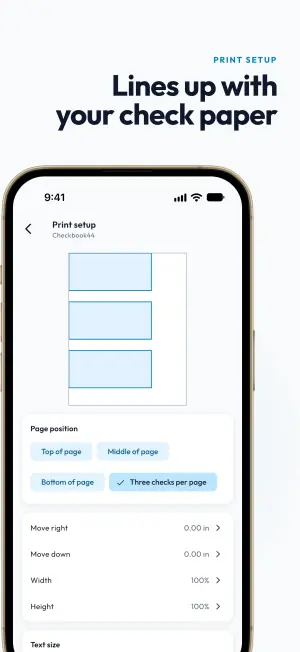
Pick where the check sits on the page, or print three per page. Move it right or down by up to an inch, scale the width and height from 95 to 120 %, and choose a text size. Then print a test page and hold it against your check paper.
Bank details stay on your phone
Routing and account numbers are saved on this device and never sent to our servers. They stay out of analytics and crash reports. No ads, and no account to sign up for.
Check numbers count up
Each account keeps its own sequence, and a number can't repeat within an account.
A check that looks like yours
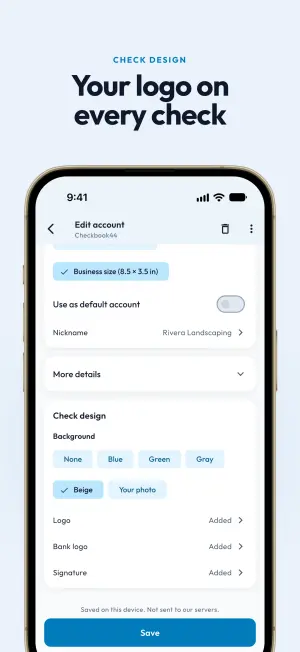
Each account has its own design: a tint or your own photo behind the check, your logo, your bank's logo and a signature you draw with your finger.
Find any check you saved
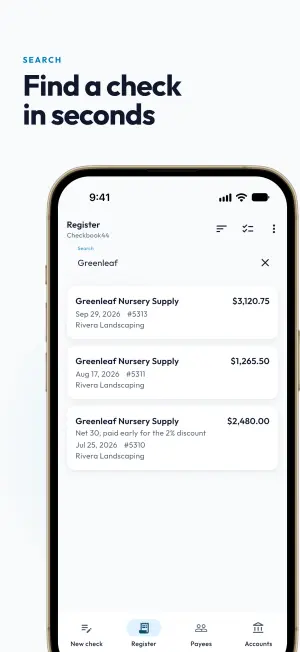
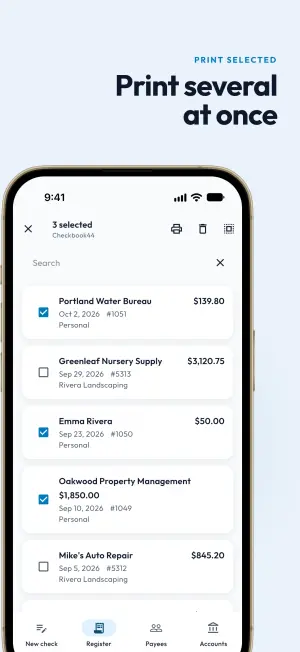
Search the Register by payee, memo, note, account, check number or amount. Sort by newest, oldest, highest amount or check number. Select several to print as one PDF, or delete them with Undo.
Personal or Business size
Each account prints in its own size. Business checks also print the payee's address.
The app, screen by screen.